Food history
- A general AI chat
- Ask for a recap of what you shared.
- With Calsa
- Open your diary on any date.
Snap it, say it or scan it — and get on with your day.
Log my first mealCheck the food and portions before you save.
Web · iPhone · Android
people using Calsa
meals logged
FoodData Central · nutrition data
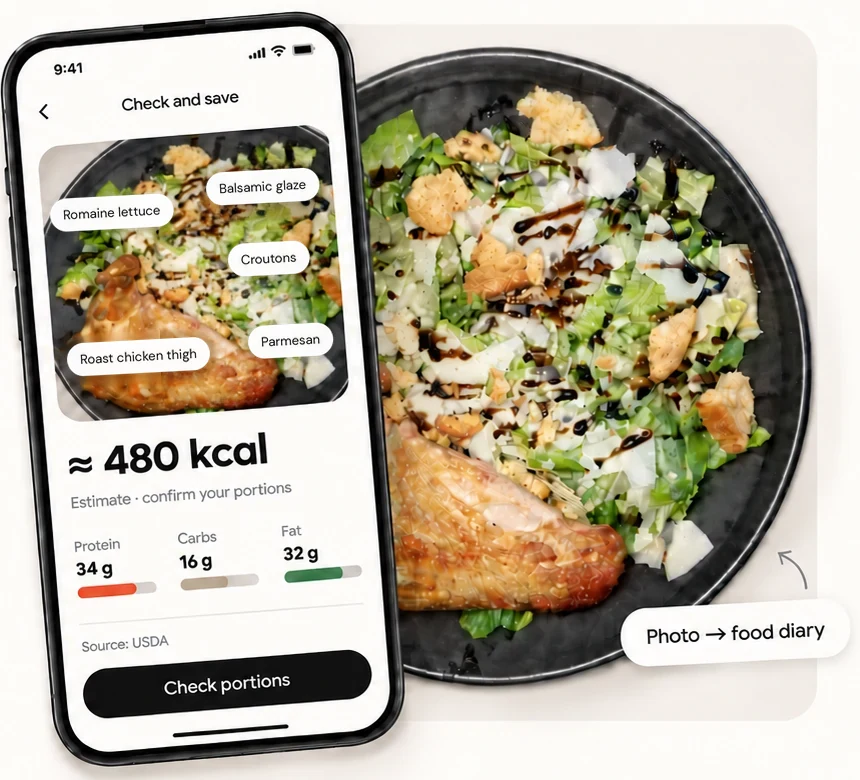
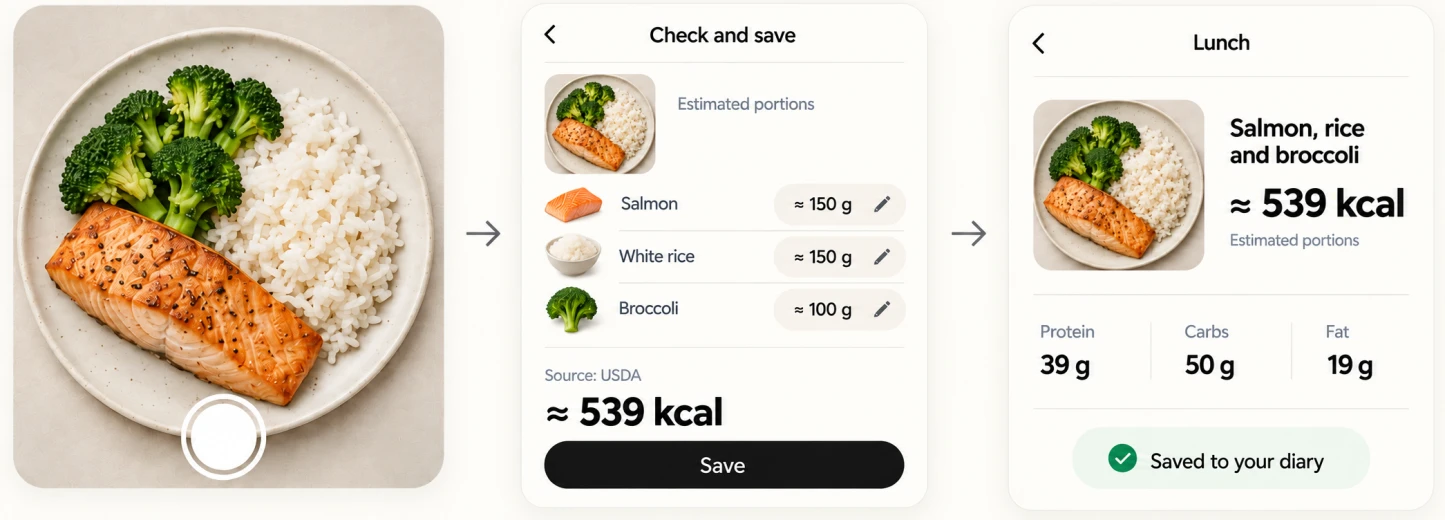
Take a photo, check the food and portions, then save.
Calsa adds the calories and macros to your diary.
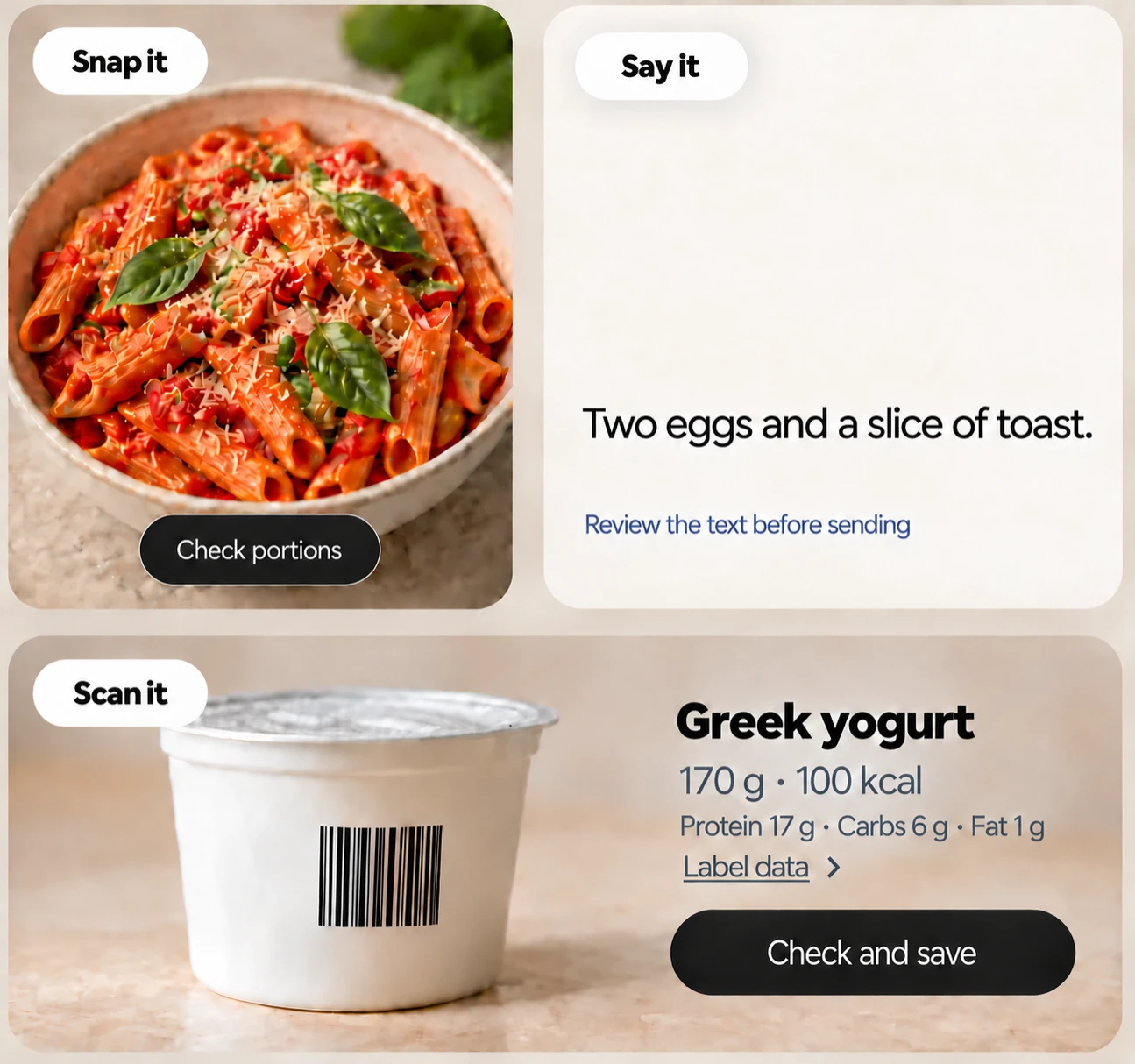
Take a photo at lunch, scan a packet at home, or say what you had. It all lands in the same diary.
Prefer typing? That works too.
See today’s calories and macros, then look back at your meals and weight trend over the week.
Your meals stay organised by date. Your totals and progress are ready to view.
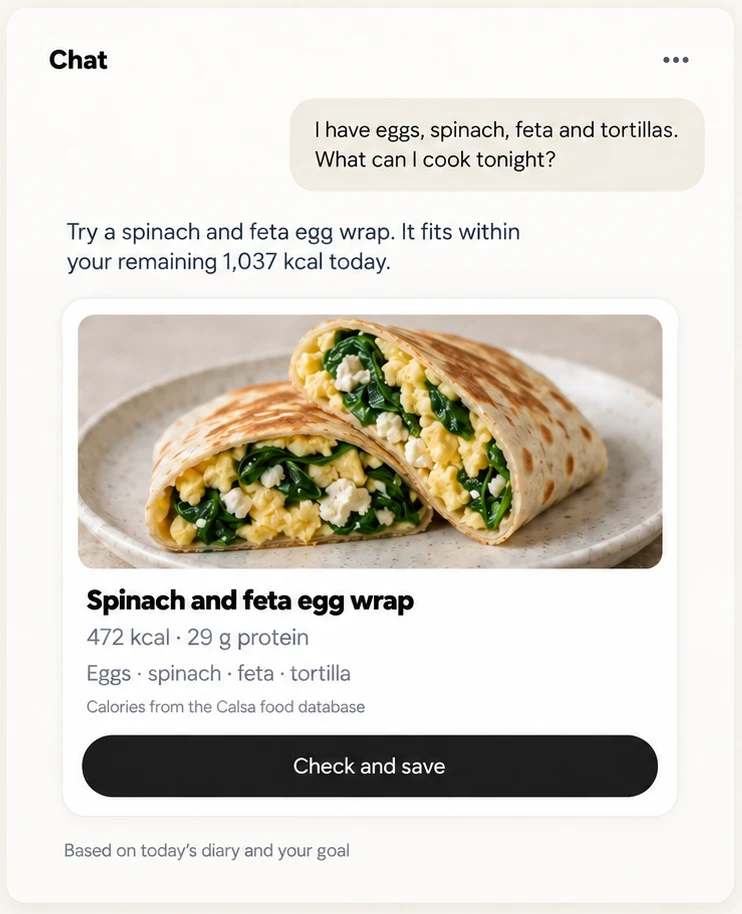
Got eggs in the fridge and no dinner plans? Ask Calsa for ideas based on your diary and calorie goal.
I take a photo, adjust the portions and save. That’s my lunch logged. I don’t have to search for every ingredient.
Emily
I can ask what to make with what’s in the fridge. Calsa already has my diary, so I don’t have to explain my day again.
Daniel
The portion in a photo isn’t always what I actually ate. I like being able to change it before it goes in my diary.
Maya

I can see my meals and weight trend together. It helps me look at the week instead of getting stuck on one day.
James
Sometimes I’d rather say what I ate than type it out. I can check the text and amounts before I save.
Sarah
If I miss a few days, my diary is still there. I just add my next meal and carry on.
Alex
You decide what to share with AI. Turn it off whenever you want and keep your diary.
Real meals aren’t always easy to count.
Here’s how Calsa handles the details.
In the photo draft, replace the wrong food with the correct search result or use an offered alternative when it matches. Check raw or cooked state and preparation method, then review the amount. Remove foods you did not eat and add missing items.
A similar match can still be marked as an estimate even if its grams are checked. If the exact recipe is unknown, use the best supported match and keep that uncertainty visible. The calorie number comes from the food record you select. Report a repeated recognition problem if you want it checked.
A photo cannot reliably reveal all oil, sauces or hidden ingredients. Calsa may show a separate oil or dressing estimate or ask what you cooked with. Check that line and adjust or remove it according to the meal.
Also check the selected food: some fried-food database values already include oil, so adding the same oil again would double-count it. For a sauce mixed through a dish, use the known ingredients when you have them. Treat an unknown restaurant recipe as uncertain rather than assuming the photo captured everything.
Open yesterday's diary and find breakfast. Use Copy to today to make a new entry with the same foods and grams. Review it if today's portion differs, then check that it is in the right meal.
The original breakfast stays in yesterday's history. You can also copy selected foods or a whole meal to another day. If you copied the wrong set, use undo for the copying action rather than deleting the original meal.
Do not save the wrong product unchanged. Open the product's source and use the package-disagreement option to create your own food from the current label. Check the barcode, name, serving and nutrient values before saving.
Your corrected private version takes precedence for you in later searches and scans of that code. Submit Report this food with the label and barcode if you want the shared record checked. A code can stay the same after a recipe changes, so the current package matters. Old diary entries are not silently rewritten by the report.
Open You → Privacy and data and switch off AI permissions. Recognition of photos and food phrases and the AI chat stop sending new requests. The permission controls distinguish those functions, and the overall AI switch stops both.
Search, barcode, quick add, repeat meals, your own foods and the daily total keep working. You do not have to delete the diary to stop using AI. Turning AI off is separate from withdrawing health-data consent, which affects collection of new diary and body data. Review saved chat or memory separately if you want to delete them.
Devices signed in to the same Calsa account share saved account data. Entries saved without a connection can remain only on that device until the connection returns and saving is confirmed. Local storage is not proof that another device can already see them.
Keep the original device signed in and connected until pending entries sync. Check the same diary date on your other device. If the result is unclear, contact support from the affected device. Do not clear its data or reinstall while it may hold the only copy.
Calsa is an AI calorie counter for iPhone, Android and the web. You log a meal by photo, by typing or saying what you ate, or by barcode, confirm the grams, and the calories come from a food database. An AI chat sees your diary, weight and goal. Subscription with a trial.
You can also log manually without AI. Each food number has a source, and photo amounts remain estimates until you check them.
Still have a question? Visit Help
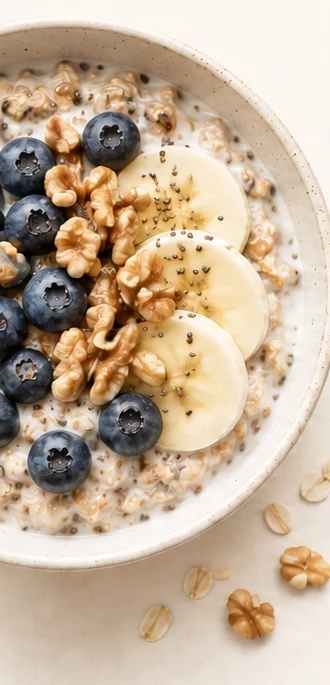
Take a photo, scan a barcode or say what you ate.
Check the portions, then save it to your diary.